
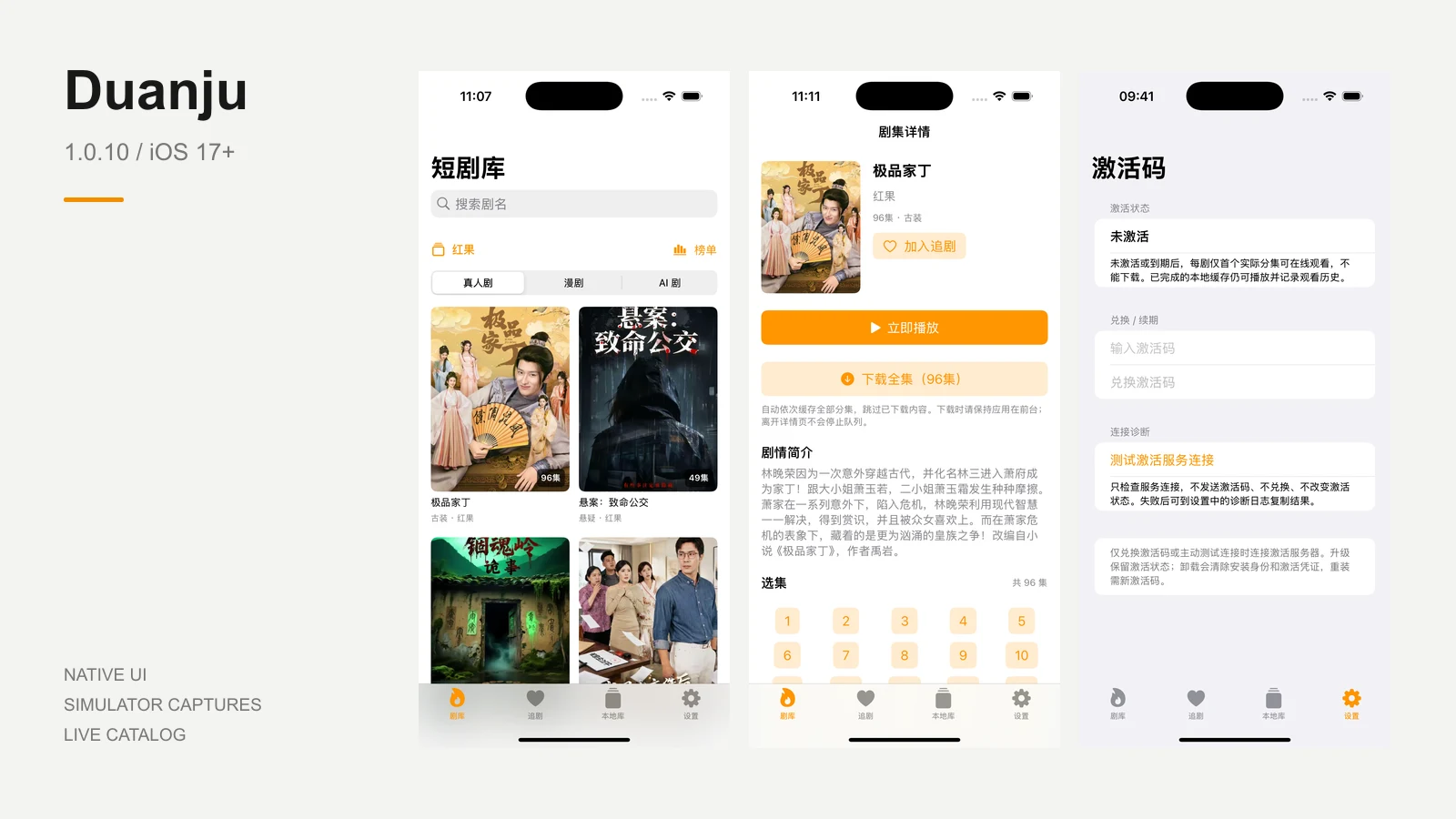
想看时找得到,放下后接得上,出门前还能把想看的集数存进手机。这就是我想介绍的 Duanju:一款把多源剧库、收藏追剧、观看进度和本地缓存放在一起的原生 iPhone 应用。站源引擎直接在手机内运行,安装完成后,日常使用不需要再连着电脑。
Find something to watch, pick up where you left off, and save episodes to your phone before heading out. That is what I want to introduce with Duanju: a native iPhone app bringing multiple catalogs, favorites, viewing progress and local downloads together. Its source engine runs on the phone, so everyday use needs no computer once installation is complete.
当前提供 1.0.10(build 11),适用于 iOS 17 或更新版本。你可以先下载安装,看看界面、试播每部剧的首个实际分集,再决定是否激活完整观看与下载功能。
The available release is 1.0.10 (build 11) for iOS 17 or later. Install it first, explore the interface and try the first actual episode of each drama before deciding whether to activate full viewing and downloading.
几个站源,一个熟悉的入口 · Your sources, together
不必在不同入口之间反复找剧。Duanju 的站源菜单提供红果、黄豆、黄果 AI 和黄果视频接入,统一用剧库、搜索、详情和追剧来管理。红果还有真人剧、漫剧、AI 剧分类;不同来源的片单、分类和可用性仍以来源本身为准。
Duanju brings source selection into one familiar catalog. Its menu includes Hongguo, Huangdou, Huangguo AI and Huangguo Video, with a shared interface for browsing, search, details and favorites. Hongguo also offers live-action, comic and AI-series categories. Catalogs, categories and availability still depend on each source.
找到喜欢的剧,点进详情看简介和分集,再点「加入追剧」。下次从「追剧 → 我的追剧」回来即可;「观看历史」会记住看到了哪一集、哪个位置,让零碎时间也能接着看。
Open a title for its synopsis and episodes, then tap “加入追剧” to add it to your favorites. Find it again under “追剧 → 我的追剧”. Viewing history remembers the episode and playback position, making it easier to continue whenever you have a few minutes.
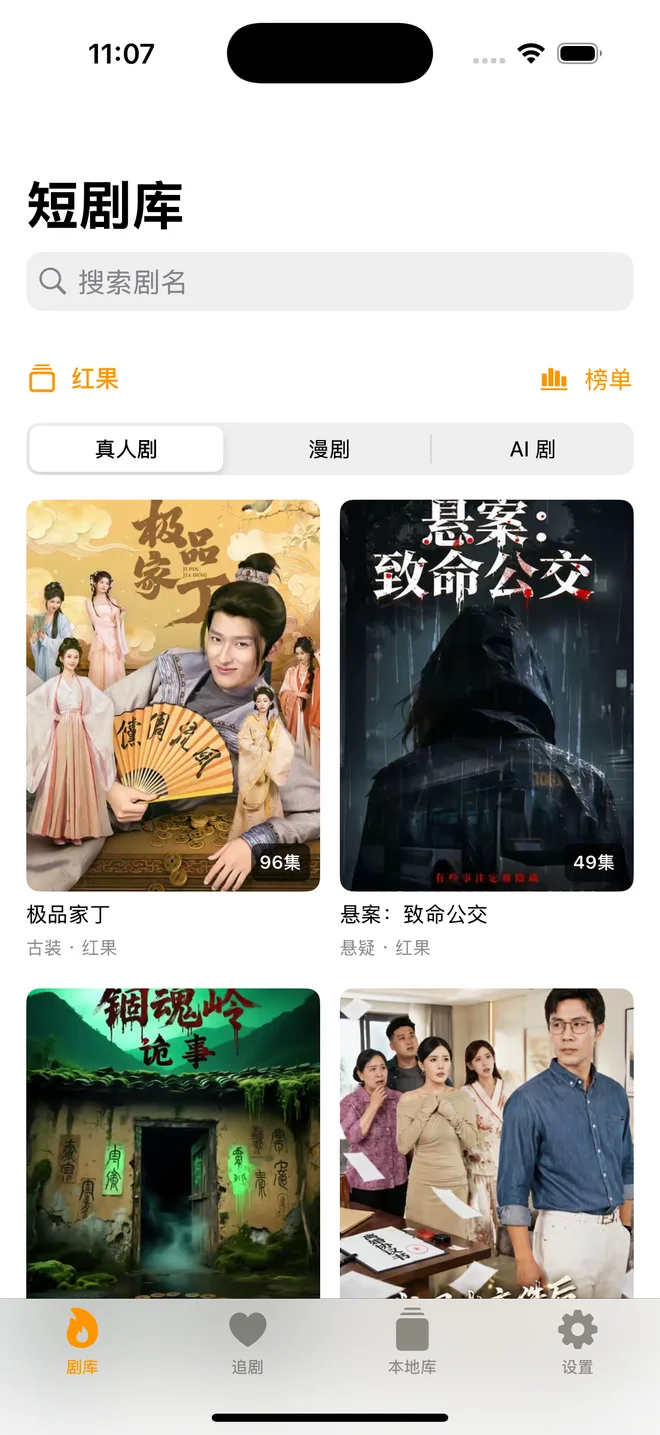
红果列表:本次在独立截图版本中实际加载的模拟器画面。
Hongguo catalog loaded during this session in the separate simulator screenshot build.
应用会优先显示已有列表缓存。启动、切换来源或返回列表时,有缓存就先读取缓存;要更新片单,主动下拉刷新。需要继续浏览时使用「加载更多」。列表缓存只是保存目录,不等于视频已经下载到手机。
Duanju first displays a saved catalog when one is available. Launching the app, switching sources or returning to a list reuses that cache. Pull down to refresh when you want an updated list, and use “加载更多” to load more items. A cached catalog is only a saved listing; it does not mean the videos are downloaded.
上下滑动,把下一集接上 · Keep the story going
追到精彩处,向上滑就是下一集,向下滑回上一集;到第一集或最后一集时不会循环跳转。「记住播放位置」和「自动播放下一集」可以在设置中调整,按自己的习惯看就好。
Swipe up for the next episode and down for the previous one, without wrapping around at either end. Adjust playback-position memory and automatic next-episode playback in Settings to suit how you like to watch.
「预加载下一集」默认开启:当前播放稳定后,应用会提前准备下一集,减少切集时的等待。想节省流量,也可以随时关掉。预加载会额外使用网络流量,它与保存离线视频是两件事。
Next-episode preloading is on by default. Once playback stabilizes, the app prepares the following episode to reduce the wait between episodes. Turn it off whenever you want to save data. Preloading uses additional network traffic and is separate from saving an offline copy.
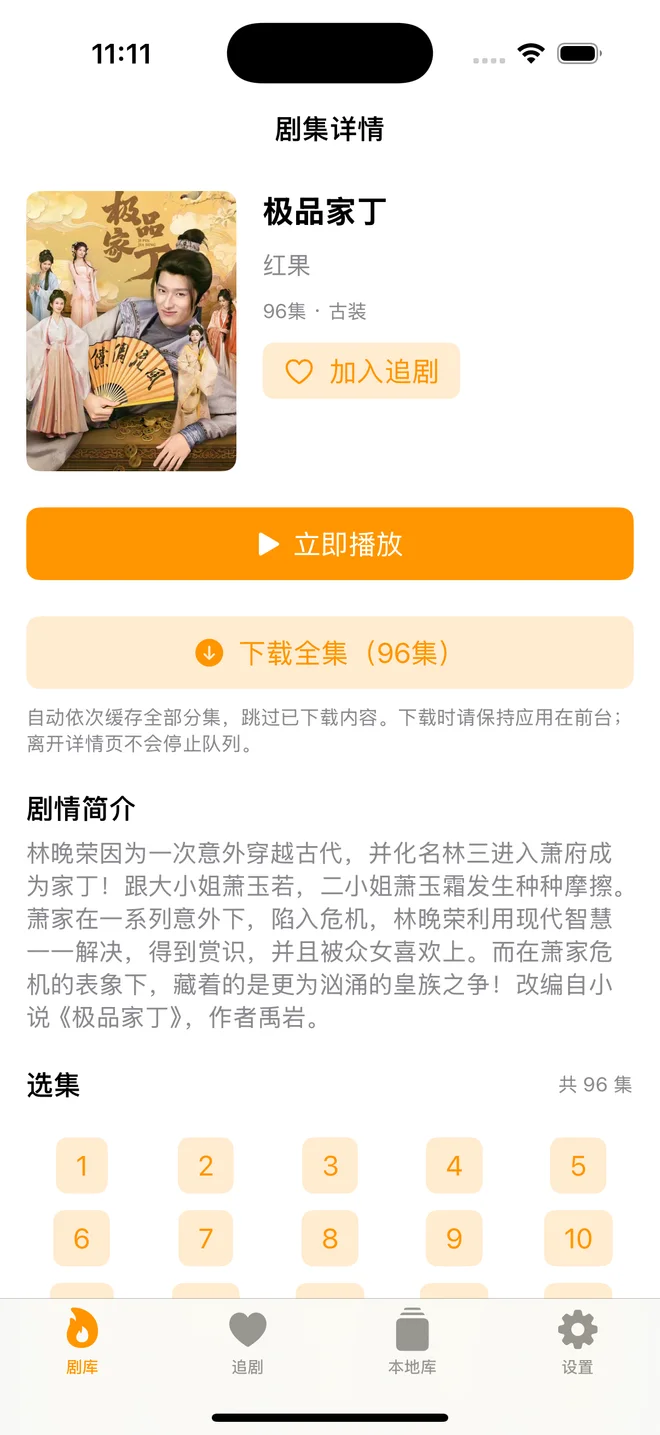
剧集详情:真实加载的简介、集数和操作入口;这张截图不代表已完成下载或播放实测。
Detail view with a loaded synopsis, episode count and controls; this capture does not establish tested downloading or playback.
把想看的存下来 · Build your local library
临出门,先把想看的剧加入下载队列。激活有效时,在详情页点「下载全集」,也可以长按集数只下载某一集。完成的分集按剧收进「本地库」,不用等整部剧都下载完,就能先打开已经缓存的部分。
Before heading out, queue the drama you want to watch. With valid activation, tap “下载全集” to download the full series, or long-press an episode to download just that one. Completed episodes appear together in the local library, ready to open without waiting for the entire series to finish.
本地缓存的价值,是把观看时间和网络条件分开:有网络时准备好,离线时从本地库接着看。出门前先确认目标分集已完成、能从本地库打开;即使激活后来到期,已经完成的本地缓存仍可播放,也能继续记录观看历史。
Local downloads let you prepare while connected and continue from the library when offline. Before you leave, check that the episodes you want are complete and open from the library. Completed local downloads remain playable even after activation expires, and viewing history still works.
下载安装 · Download and install
文件名:Duanju-1.0.10-11-unsigned.ipa。大小 4,097,086 字节(约 4.10 MB)。这是供签名工具导入的 unsigned IPA,不是点开就能安装的 App Store 应用;下载后需要用 iLoader 为你的设备签名安装。
Filename: Duanju-1.0.10-11-unsigned.ipa. Size: 4,097,086 bytes (approximately 4.10 MB). This is an unsigned IPA for import into a signing tool, not an App Store installation you can open directly. Use iLoader to sign and install it for your device.
SHA-256 校验值:
SHA-256 checksum:
f83408dc872a05205c3b1c89640fd3cf8914f5221a3c4205ea544fce8e1b6218
1.0.10 修复了激活流程中的 UUID 校验问题,作者已确认升级后激活成功。下面用 iLoader 完成安装,Mac 和 Windows 都有对应版本。
Version 1.0.10 fixes UUID validation in the activation flow; the author has confirmed successful activation after updating. Use iLoader to install it, with desktop versions available for Mac and Windows.
- 在电脑上保存上方 IPA,从 iLoader 官方网站 下载对应系统的桌面版。Mac 使用 macOS 安装包;Windows 按官方要求先安装 iTunes,再安装 iLoader。
- Save the IPA above to your computer and download the matching desktop installer from the official iLoader website. On Mac, use its macOS installer. On Windows, install iTunes as required by iLoader’s official instructions, then install iLoader.
- 用数据线连接并解锁 iPhone,在手机上信任这台电脑。打开 iLoader,确认识别到的是你要安装的设备。
- Connect your unlocked iPhone with a cable and trust the computer on the phone. Open iLoader and confirm that it identifies the intended device.
- 在 iLoader 内登录用于签名的 Apple 账号,密码和双重认证只输入官方工具的登录界面。使用导入/安装 IPA 功能选择
Duanju-1.0.10-11-unsigned.ipa,等待签名与安装完成。
- Sign in to the Apple Account used for signing inside iLoader. Enter passwords and two-factor codes only in the official tool’s sign-in interface. Use its IPA import/install function to select
Duanju-1.0.10-11-unsigned.ipa, then wait for signing and installation to finish.
- 按设备提示,到「设置 → 隐私与安全性 → 开发者模式」开启并完成重启;如提示开发者不受信任,到「设置 → 通用 → VPN 与设备管理」信任对应开发者,然后打开 Duanju。
- When prompted, enable Developer Mode under Settings → Privacy & Security and complete the restart. If iOS reports an untrusted developer, trust the relevant developer under Settings → General → VPN & Device Management, then open Duanju.
更多步骤和安装排障可参考本站 iPhone 安装 IPA 教程。以上安装说明依据 iLoader 与 Apple 官方文档整理,并非本次在 Mac、Windows 上分别完成的真机安装测试。
See our iPhone IPA installation guide for more steps and troubleshooting (in Chinese). These instructions are based on iLoader and Apple documentation; this article does not claim separate physical-device installation tests on both Mac and Windows.
普通 Apple 账号签名通常七天到期,需要重新签名安装。这个期限与 Duanju 的激活期限独立。 即使应用激活仍有效,Apple 签名失效也可能导致应用无法打开。续签和升级应使用相同账号与应用身份覆盖安装,保留数据;不要为了续签先卸载应用。
Signing with a free Apple Account normally expires after seven days and requires signing and installation again. That deadline is independent of Duanju activation. An expired Apple provisioning profile may prevent the app from opening even while its activation remains valid. Use the same account and app identity to install over the existing app when refreshing or updating, preserving its data. Do not uninstall it first just to refresh signing.
先试看,再激活 · Try it, then activate
先确认你常用的来源能加载、首集能播放,再到「设置 → 激活码与有效期」测试激活服务连接。网络和播放都符合预期后,再按需要购买软件激活码。未激活或激活到期时,每部剧仅开放第一个实际分集的在线观看,不能新增下载。
First check that the source you use loads and its first episode plays. Then test the activation-service connection under Settings → “激活码与有效期”. Once connectivity and playback work as expected, purchase a software activation code if you need one. Without activation, or after it expires, online viewing is limited to the first actual episode of each drama and new downloads are disabled.
购买地址:https://www.idatariver.com/zh-cn/project/%E6%BF%80%E6%B4%BB%E7%A0%81-293d
Purchase link: https://www.idatariver.com/zh-cn/project/%E6%BF%80%E6%B4%BB%E7%A0%81-293d
激活码用于 Duanju 软件授权,有效期从首次成功兑换开始计算。购买前核对对应应用、期限和订单说明;价格、库存、发货规则以购买页为准。它不延长 Apple 签名期限,也不提供源站 VIP 权限或绕过会员限制。
An activation code licenses the Duanju software, with validity starting at the first successful redemption. Check the applicable app, duration and order terms before buying; the purchase page determines pricing, stock and delivery. It does not extend Apple signing validity, grant source-site VIP access or bypass membership restrictions.
打开 「设置 → 激活码与有效期」,输入购买得到的激活码,点击「兑换激活码」。看到激活成功后,核对页面显示的状态与到期时间。
Open Settings → “激活码与有效期”, enter your purchased code and tap “兑换激活码”. Once activation succeeds, check the displayed status and expiration time.
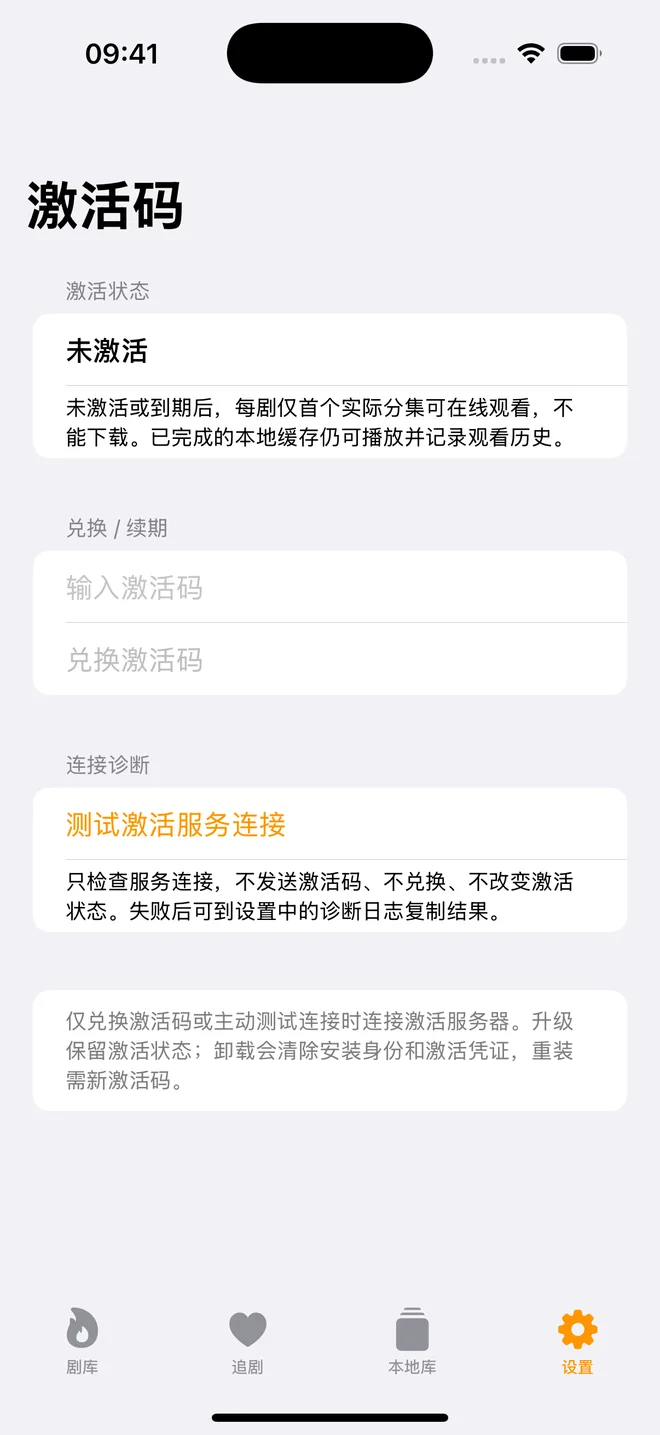
真实原生界面的模拟器截图,兑换框为空。
Simulator capture of the actual native interface, with an empty redemption field.
使用时的几个小提醒 · A few practical details
激活服务只在兑换或主动测试连接时联网;正常使用不会持续向激活服务器校验。在线观看视频和下载仍需要相应站源可达。若兑换超时,先点击「测试激活服务连接」,检查手机网络,并到设置的运行日志查看结果。该测试只检查连接,不消耗激活码,也不改变激活状态。
The activation service is contacted only when redeeming a code or explicitly testing its connection, not continuously during normal use. Streaming and downloading still require access to the relevant content source. If redemption times out, tap “测试激活服务连接”, check your phone’s network and inspect the runtime logs in Settings. The connection test does not redeem a code or change activation status.
当前激活服务使用 workers.dev 地址,已有手机反馈需要连接 VPN 才能访问。不能保证直连可用。 如果当前网络连接测试失败,换用能访问服务的网络,必要时连接 VPN 后再测,确认连通后再兑换。不要把服务不可达误认为激活码已经无效。
The current activation service uses a workers.dev address, and a phone user has reported needing a VPN to reach it. Direct connectivity is not guaranteed. If the connection test fails, try a network that can reach the service, connect a VPN if needed, then test again before redeeming. An unreachable service does not by itself mean the code is invalid.
每个码只能成功兑换一次。升级时保持相同应用身份覆盖安装可保留激活状态;卸载会清除安装身份和激活凭证,重装需要新码。不要卸载后拿同一个已兑换的码反复尝试。
Each code can be successfully redeemed only once. Updating over the existing installation with the same app identity preserves activation. Uninstalling removes the installation identity and activation credentials, so a fresh installation needs a new code. Do not repeatedly retry a previously redeemed code after deleting the app.
下载时请保持应用在前台,离开详情页不会停止队列。失败后查看提示,暂停并按「重试 / 继续」处理;已完成分集会被跳过。这里的继续是按分集接着下载,不承诺未完成分集的分片或字节级断点续传。删除下载任务可以保留已完成缓存,删除本剧缓存则会移除相应本地视频。
Keep the app in the foreground while downloading; leaving the detail page does not stop the queue. If a download fails, read its message, pause and use “重试 / 继续” as appropriate. Completed episodes are skipped. Continuation is at the episode level, not promised segment-level or byte-level resume within an unfinished episode. Deleting a task can retain completed files; deleting a drama’s cache removes those local videos.
内容与可用性取决于所选站源。某部剧无法加载、某一集不能播放时,应先检查来源与网络;应用激活并不保证每个站源和每部剧始终可用。
Content and availability depend on the selected source. If a title does not load or an episode will not play, check the source and network first. App activation does not guarantee that every source or title remains available at all times.
文中图片来自 iOS 18.1 模拟器上的独立 SwiftUI 截图版本,未改动生产 App。红果列表和详情为本次真实加载,未对其他来源、真机安装或离线播放作实测承诺。
Images come from a separate SwiftUI screenshot build in an iOS 18.1 simulator; the production app was not changed. The Hongguo catalog and detail page were loaded during this session. These images do not claim testing of other sources, physical-device installation or offline playback.